
Introducing Canvas Home View in Zoho CRM
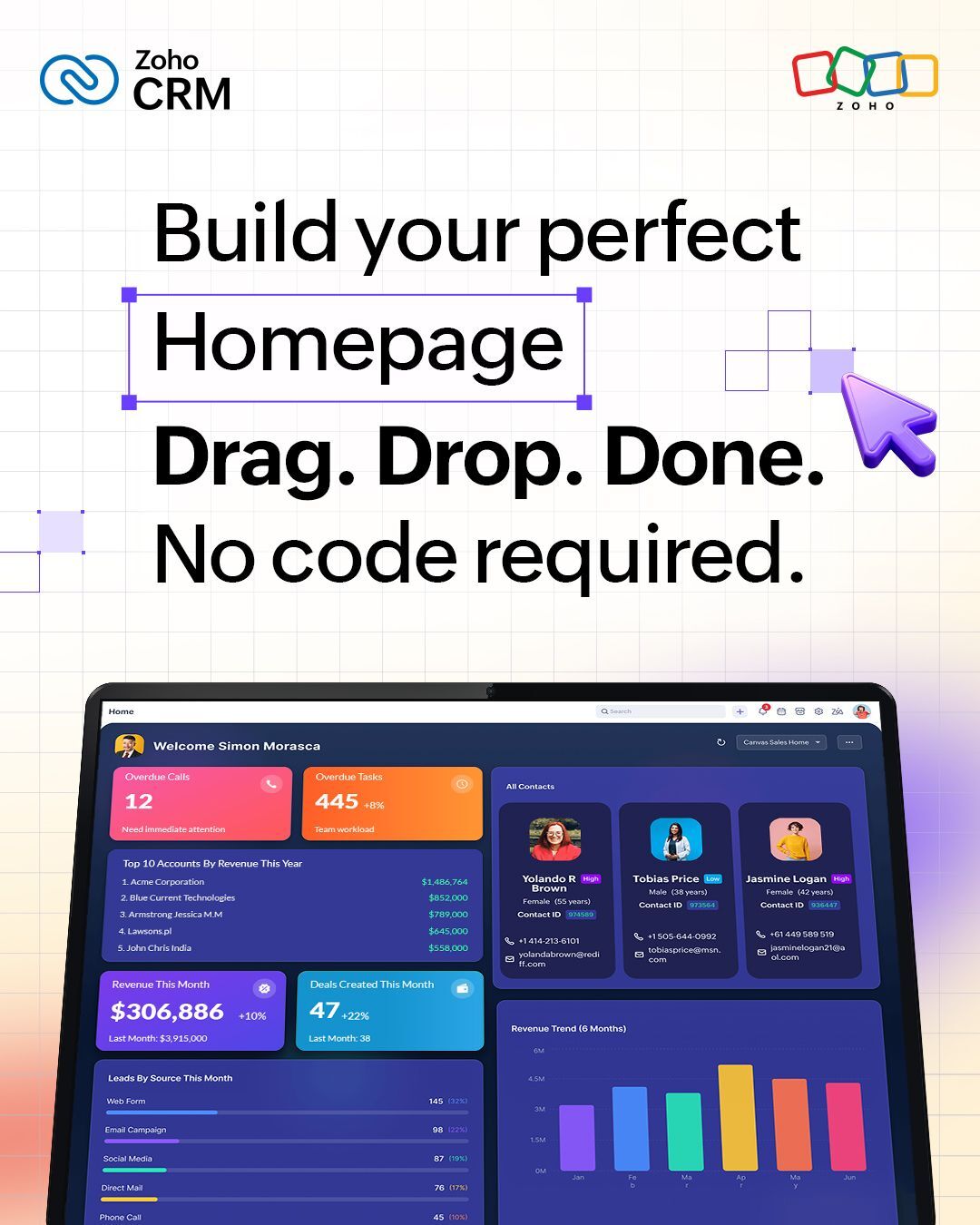
Image Credit: Zoho CRM Official Page
For most organisations, the CRM homepage is treated as a default starting point.
It shows activity. It shows numbers. It shows updates. But very few teams ever question whether it is actually helping people work better.
At Aplikasi, we see this pattern consistently across SMEs and growing enterprises. The issue is not a lack of capability within the CRM. It is the absence of intentional design. Zoho CRM’s Canvas Home View addresses this directly.
From Static Dashboard to Operational Workspace
Canvas Home View introduces the ability to design your CRM homepage using a drag and drop interface, transforming it from a fixed dashboard into a configurable workspace.
This distinction matters.
With Canvas, your homepage becomes a layer where data, actions, and priorities are structured in a way that aligns with how each role operates.
This is not about aesthetics. It is about operational efficiency.
Aligning CRM Experience with Role-Based Workflows
- Sales teams can prioritise pipeline visibility, deal progress, and follow-ups
- Support teams can focus on ticket queues, response times, and workload distribution
- Marketing teams can track campaign performance and engagement metrics
Reducing Navigation Friction
In many CRM environments, valuable time is lost not in analysis, but in navigation. Users move between modules, open multiple tabs, and reconstruct context manually before taking action.
Canvas Home View reduces this friction by allowing key components such as dashboards, custom views, reports, and widgets to be assembled into a single, unified interface. Existing canvas list views can also be embedded directly into the homepage in different formats including card, tile, or table views.
This creates a consolidated working environment where information is already contextualised.The result is a shorter path from insight to action.
Enabling Business-Led Customisation
A common barrier to meaningful CRM customisation is technical dependency. Changes often require IT involvement, creating delays and limiting experimentation.
Canvas shifts this dynamic. With its drag and drop builder, business users can design and refine their own homepage layouts without coding.
This has two important implications:
- Faster iterationTeams can adjust their workspace as priorities evolve without waiting for technical resources
- Closer alignment to actual workflowsThe people using the system are the ones shaping it
This reduces the gap between system design and real-world usage.
Supporting Controlled Deployment
Flexibility without governance often leads to inconsistency. Canvas Home View balances both.
Organisations can design and test homepage configurations in a sandbox environment before deploying them to production.
Once validated, these configurations can be shared across users, roles, groups, and territories to ensure alignment at scale.
Additionally, the ability to associate queries directly with homepage components ensures that displayed data remains relevant and actionable. This approach supports both experimentation and standardisation.
Practical Impact on Daily Operations
To understand the impact, consider a typical sales workflow. Without optimisation, a sales manager may need to:
- Navigate to the deals module to review pipeline
- Open reports to track monthly performance
- Check activities for follow-ups
- Compile information mentally before prioritising actions
With Canvas Home View, these elements can be structured into a single interface.
Pipeline status, revenue progress, open deals, and pending follow-ups are visible immediately upon login.
This reduces context switching and enables faster, more informed decision-making at the start of the day.
Aplikasi’s Perspective
Technology alone does not create efficiency, structure does.
Canvas Home View is a powerful feature within Zoho CRM, but its effectiveness depends on how it is designed and aligned with your business processes.
At Aplikasi, our role is not just to implement systems, but to ensure they are structured in a way that supports how your teams actually work.
This involves:
- Defining what each role needs to see and act on
- Designing layouts that reduce friction
- Ensuring consistency across teams while allowing necessary flexibility
For teams looking to improve efficiency, reduce friction, and increase adoption, this is not just a feature update.
It is an opportunity to rethink how work gets done inside the CRM.